BIR TIN Verification Online
Whether you are a newly hired employee, a freelancer onboarding a new client, or an employer checking the TIN of your staff, verifying a Tax Identification Number in the Philippines is now fully online. The BIR has official channels for TIN verification, free and accessible from your phone or computer.
4 Official Ways to Check Your BIR TIN — from the fastest online tool to manual email verification. No RDO visit required.

What is TIN Verification and Why Does It Matter?
TIN verification is the process of confirming that a Tax Identification Number is valid, active, and correctly assigned to the taxpayer who claims it. You need TIN verification in these situations:
TIN Verification vs TIN Inquiry: What is the Difference?
These two terms are used interchangeably, but they refer to two different things in the BIR system.
TIN Verification (also called TIN Validation) is used when you already know your TIN and want to confirm it is correct and active. You provide your TIN plus your personal details, and the system confirms whether they match.
TIN Inquiry is used when you do not know or cannot remember your TIN. You provide your full name, birthdate, and supporting information, and the BIR retrieves your TIN from the database.
Both services are free and available through ORUS and BIR Chatbot Revie.
TIN Verification by Different Methods
A quick overview of all official BIR TIN verification channels available in 2026.
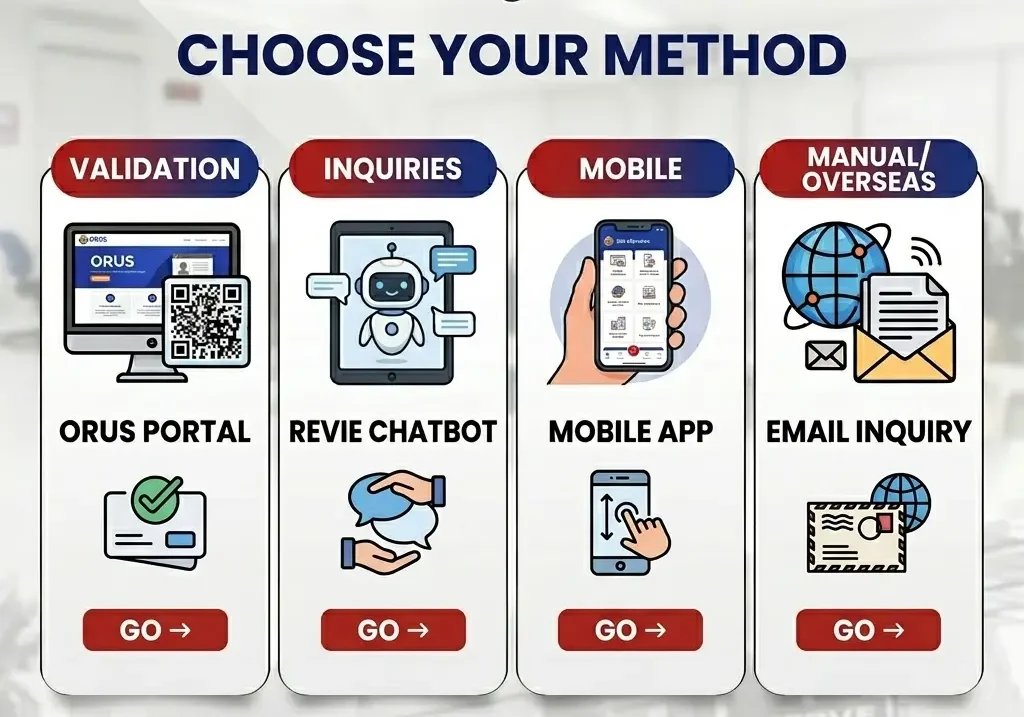
ORUS TIN Verification Tool
The ORUS TIN Verification and BIR Registered Business Status Search Facility is the official primary tool recommended by the BIR for all TIN verification needs as of RMC 31-2024.
What the results mean:
You do not need an ORUS account to use the TIN verification tool. It is publicly accessible.
BIR Chatbot Revie
Chatbot Revie is the BIR’s official digital assistant and handles both TIN Inquiry and TIN Validation directly from the BIR website.
For TIN Validation through Revie:
For TIN Inquiry through Revie (if you do not know your TIN):
TIN Inquiry responses through Revie are typically received within 1 to 3 business days. Revie is also available as a service on the BIR mobile app.
BIR Mobile TIN Verifier App
The BIR Mobile TIN Verifier App is a free smartphone application that allows taxpayers to conduct TIN validation and TIN inquiry directly from their phone in real time.
The app works best for individual taxpayers checking their own TIN. Employers verifying employee TINs in bulk will find ORUS faster.
Email Verification via BIR Customer Assistance Division
If online tools are unavailable or you are overseas, you can verify your TIN by sending an email directly to the BIR Customer Assistance Division.
Email: contact_us@bir.gov.ph
What to include in your email:
Response time is typically 3 to 5 business days. Under Revenue Memorandum Circular No. 37-2024, the BIR has standardized the email verification request format.
Manual Verification at Your RDO
Walk-in TIN verification at an RDO is still an option for cases where online methods fail, such as record mismatches, duplicate TIN issues, or corruption in the BIR database.
Important: Under RMC 31-2024, all RDOs are instructed not to accept requests for manual TIN Verification slips for employment purposes. Employers must use ORUS or Revie instead.
RDO walk-in verification is now reserved for:
What to bring for walk-in verification:
Employer Compliance Alert
RMC 31-2024 — Effective Immediately
No More Manual RDO Slips
Revenue District Offices (RDOs) will no longer issue manual TIN verification slips for employers and HR departments. All employee TIN verifications must now be conducted through the online ORUS portal.
What HR Must Do Now
Non-compliance may result in processing delays for BIR Form 2316 and annual ITR filing. Verify all employee TINs before year-end.
RMC 120-2023
Digital TIN ID Verification
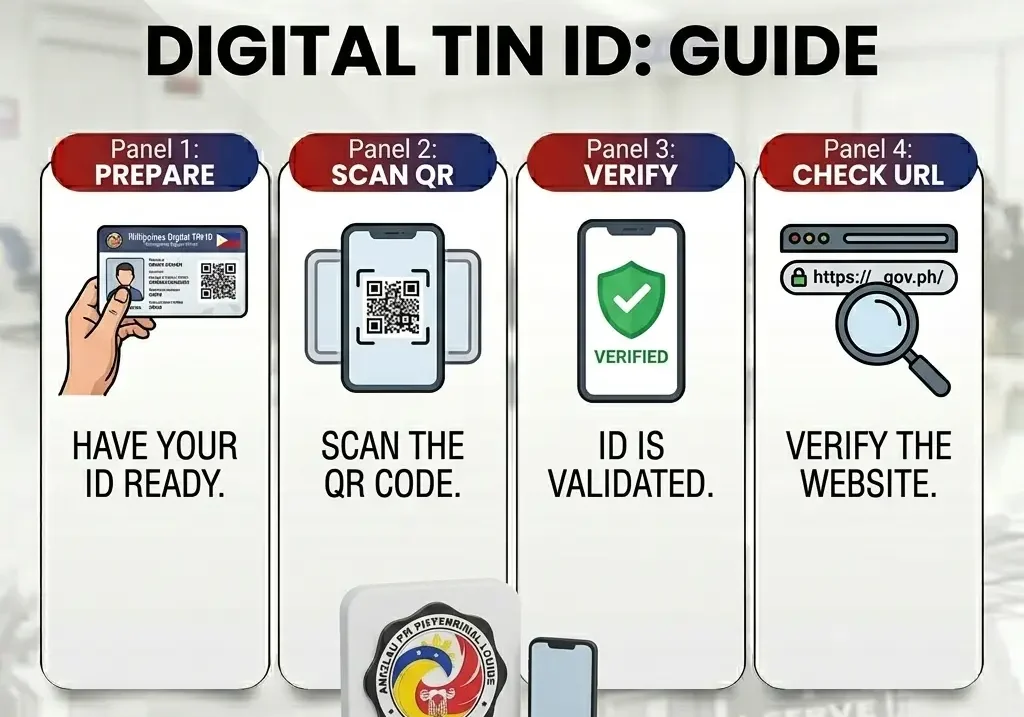
The BIR’s Digital TIN ID includes a QR code that can be scanned to verify its authenticity and the holder’s registration status instantly.
Scan QR Code
Use any QR scanner app to read the code on the Digital TIN ID.
Instant Verification
The QR links to the BIR portal, confirming the ID’s validity in real time.
Tip: If the QR code redirects to a BIR-hosted verification page showing the holder’s name and TIN status, the Digital TIN ID is authentic. Any other redirect is a potential forgery.
Common TIN Verification Issues and Fixes
Frequently Asked Questions
Conclusion
Verifying your BIR TIN in the Philippines is now a fully online process with four official methods available: the ORUS TIN Verification tool at orus.bir.gov.ph, Chatbot Revie at bir.gov.ph, the BIR Mobile TIN Verifier App on Android and iOS, and email verification through contact_us@bir.gov.ph. ORUS is the fastest option for both taxpayers and employers, returning instant results with no login required. Following RMC 31-2024, employers are now required to use ORUS or Revie to verify employee TINs instead of asking staff to obtain manual TIN Verification Slips from an RDO.
For cases where you have forgotten your TIN entirely, Chatbot Revie and the BIR Mobile App handle TIN Inquiry using your full name, birthdate, and a valid ID, with results returned within 1 to 3 business days. Complex issues such as duplicate TINs, name mismatches, or inactive records still require a walk-in visit to your assigned RDO.