BIR Form 1901 for Freelancers, Self-Employed, and Professionals
BIR Form 1901 is the registration form you use to officially register with the Bureau of Internal Revenue as a freelancer, self-employed individual, sole proprietor, or licensed professional. Filing this form gives you a TIN, a Certificate of Registration (COR), and the legal authority to issue official receipts to your clients.
You must file BIR Form 1901 before you start earning from any business or professional activity. Filing after you have already started working puts you at risk of BIR penalties.
What is BIR Form 1901?
BIR Form 1901 is officially called the Application for Registration for Self-Employed and Mixed Income Individuals, Estates, and Trusts.
It registers you as a taxpayer with active business or professional income. Once your Form 1901 is processed, the BIR issues your Certificate of Registration (COR or BIR Form 2303), which lists all the taxes you are required to file and pay as a registered taxpayer.
Who is required to file BIR Form 1901 in the Philippines?
Any individual earning income outside of regular employment must register using Form 1901 before their first transaction.
Freelancers & VAs
Virtual assistants, graphic designers, writers, developers, and all digital freelancers earning income independently.
Licensed Professionals
Doctors, lawyers, engineers, CPAs, architects, and other PRC-licensed professionals in private practice.
Online Sellers
Shopee, Lazada, and social media sellers earning income from e-commerce as sole proprietors.
Mixed Income Earners
Employed individuals with side businesses or freelance work. Your employer handles employment tax; Form 1901 covers the rest.
BIR Form 1901 vs Other Registration Forms
Knowing the difference prevents you from submitting the wrong form and delaying your registration.
Documents Required for BIR Form 1901
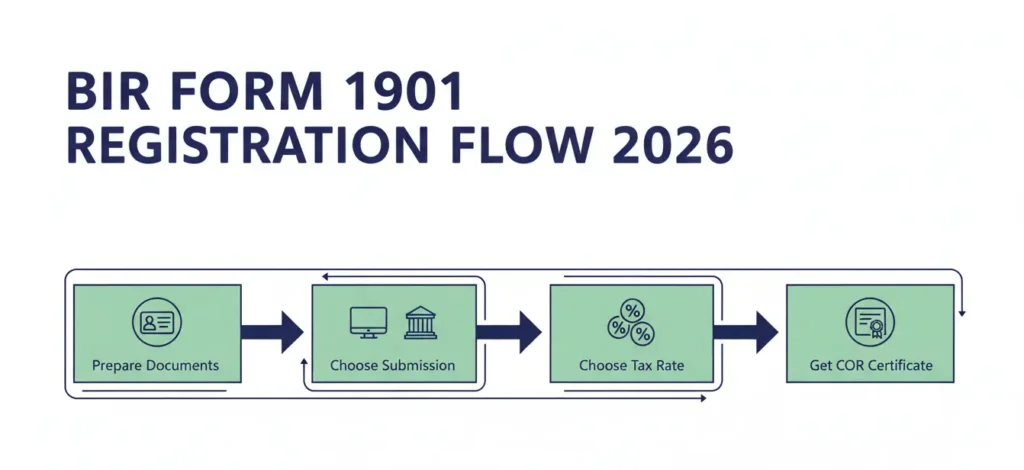
Prepare all documents before visiting the RDO or submitting them via ORUS. Incomplete requirements result in on-the-spot rejection.
For All Applicants
Additional Documents for Sole Proprietors
Additional Documents for Licensed Professionals
Additional Documents for Mixed Income Earners
Additional Documents for Estates and Trusts
How to Fill Out BIR Form 1901
Download the January 2024 (ENCS) version of BIR Form 1901 from bir.gov.ph before filling it out. Always use the latest version.
General Filling Rules
Part I: Taxpayer Information
Field 1: PhilSys Number (PSN)
Write your PhilSys National ID number here if you have one. Leave blank if you do not have a PhilSys ID yet.
Field 3: BIR Registration Date
Leave this blank. The BIR officer fills this in.
Field 4: Taxpayer Type
Mark the box that matches your situation.
Field 7: Taxpayer’s Name
Write your full legal name in this order: Last Name, First Name, Middle Name. Use exactly the name on your PSA Birth Certificate.
Field 8: Civil Status
Mark your correct civil status. This affects your personal exemption on your income tax return.
Field 10: Date of Birth
Write in MM/DD/YYYY format.
Field 11: Contact Number
Write your active mobile number. The BIR may contact you here for follow-up or text notifications.
Field 13: Local Address
Write your complete residential address, including barangay, city or municipality, and province. This determines your assigned RDO.
Field 20: Identification Details
Write the type, number, and validity dates of the valid ID you are submitting.
Part II: Business Information
Field 22: Line of Business
Write your primary business activity or professional service. Examples: Freelance Writer, Graphic Design Services, Medical Clinic, Software Development. Be specific.
Field 23: Business Name
Write your registered DTI trade name here if you have one. If you are using your own name and have no DTI registration, write your full name as the business name.
Field 24: Business Address
Write the complete address where you operate your business. For home-based freelancers, this is your residential address.
Part III: Tax Types
Mark all tax types that apply to your registration. Common tax types for freelancers and self-employed individuals include:
Part IV: Books of Accounts
Indicate the type of books of accounts you will register.
Type | Description |
|---|---|
Manual | Physical columnar books purchased from a bookstore |
Loose-Leaf | Printed sheets bound in a folder, with BIR approval |
Computerized | Accounting software requires a BIR permit |
Most new freelancers and self-employed individuals start with manual books of accounts. This is the simplest option and requires no BIR permit.
Signature Section
Sign and date the bottom of the form. If a representative is submitting on your behalf, they must attach a notarized Special Power of Attorney (SPA) and sign as the authorized representative.
How to Submit BIR Form 1901
Choose between the BIR’s Online Registration and Update System (ORUS) or the traditional walk-in process at your RDO.
Online via ORUS
ORUS at orus.bir.gov.ph allows freelancers and self-employed individuals to complete their Form 1901 registration entirely online.
Note: After your COR is issued via ORUS, you still need to submit your books of accounts and Authority to Print (Form 1906) either through ORUS or at your RDO.
Walk-In at Your RDO
Walk-in submission is the traditional option and is still fully available in 2026.
What You Receive After Filing BIR Form 1901
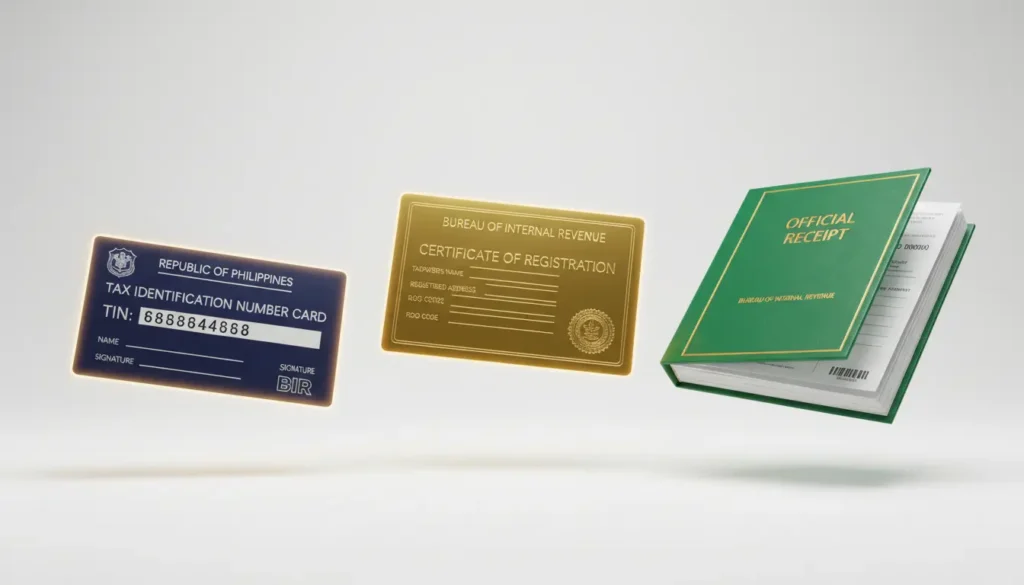
After your Form 1901 is processed and approved, the BIR issues the following documents.
Registration Fees for BIR Form 1901
Fee | Amount |
|---|---|
Annual Registration Fee | Waived (free since RMC 14-2024) |
Documentary Stamp Tax | PHP 30 |
BIR Form 0605 (if applicable) | Based on the tax due |
Books of accounts (manual) | Cost of physical books from the bookstore |
Official receipt printing (ATP) | Varies by BIR-accredited printer |
Good news: The PHP 500 Annual Registration Fee has been permanently waived since January 22, 2024 under RMC 14-2024. You no longer pay this fee when registering for the first time or renewing every year.
What Taxes Do You File After Registering with Form 1901?
Once your registration is approved, you are required to file the following returns regularly.
Tax Return | Form |
|---|---|
Annual Income Tax Return | 1701 or 1701A |
Quarterly Income Tax Return | 1701Q |
Quarterly Percentage Tax | 2551Q |
Monthly VAT (if VAT-registered) | 2550M |
Quarterly VAT | 2550Q |
Choosing Between 8% Income Tax Rate and a Graduated Rate
Every newly registered self-employed individual or professional must choose one of two income tax options when filing Form 1901.
8% Flat Income Tax Rate:
Graduated Income Tax Rate:
Which should you choose? If you are just starting and your expenses are minimal, the 8% rate is simpler. If your business has significant deductible expenses exceeding 40% of gross receipts, the graduated rate with itemized deductions may result in lower taxes. Consult a CPA if unsure.
Common Mistakes When Filing BIR Form 1901
Avoid these errors to prevent delays or rejection at the RDO counter.wise+1
Important Reminders
Keep these rules in mind before and after filing BIR Form 1901.
FAQs
Conclusion
BIR Form 1901 is the starting point for every freelancer, self-employed individual, and professional who wants to operate legally in the Philippines. Filing it gives you a TIN, a Certificate of Registration, and the legal authority to issue official receipts.
The fastest way to file in 2026 is through ORUS at orus.bir.gov.ph, where you can complete your entire registration online, pay via GCash or Maya, and receive your COR via email. Prepare your valid ID, PSA Birth Certificate, proof of address, and a sample official receipt before you start. For any help, contact the BIR at (02) 8538-3200 or email [email protected], Monday to Friday, 8:00 AM to 5:00 PM.