BIR Form 1904: One-Time Taxpayers and EO 98 Registrants
BIR Form 1904 is the application form you use to get a Tax Identification Number (TIN) if you are not a regular employee or business owner. It covers two types of applicants. Choose your path below to see requirements, steps, and tips specific to your situation.
EO 98 Path
I am a student, OFW, or unemployed
EO 98 Registration — Get your TIN for government transactions.
ONETT Path
I am Selling Property or Settling an Estate
One-Time Taxpayer (ONETT) — For capital gains & estate tax.
What is BIR Form 1904?
BIR Form 1904 is officially called the Application for Registration for One-Time Taxpayer and Persons Registering under Executive Order 98.
It is used to apply for a TIN, but it is a limited-purpose registration. It does not register you as a business owner or an employee. Think of it as a “basic TIN” for people who need one primarily for identification or a single financial transaction.
Important: Form 1904 is NOT for starting a business (use Form 1901) and NOT for new employees (use Form 1902). Using the wrong form can delay your TIN.
Who Needs BIR Form 1904?
You need Form 1904 if you fall under any of these categories.
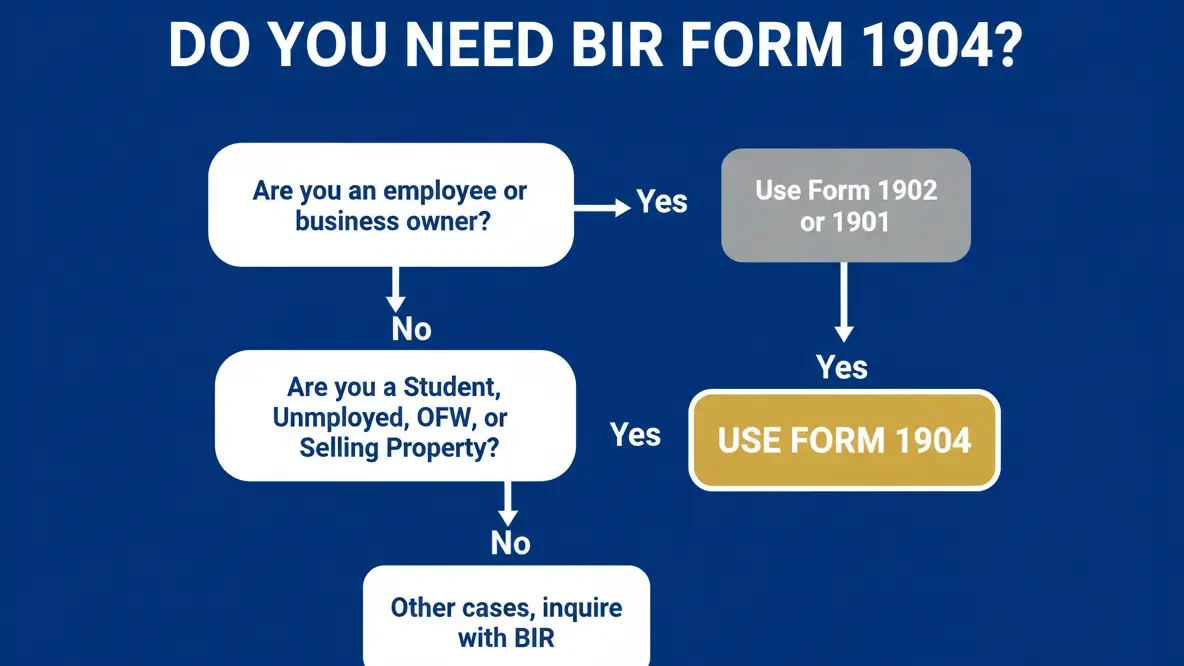
Under Executive Order 98 (EO 98):
As a One-Time Taxpayer (ONETT):
Foreign nationals:
How to Fill Out Form 1904
Focus on these critical fields. Each highlighted field directly affects your application outcome.
Part I — Taxpayer Information
Field 1: Date of Registration
Write today’s date in MM/DD/YYYY format. Example: 04/17/2026.
Field 2: PhilSys Card Number (PCN)
Write your PhilSys National ID number here if you have one. Leave blank if you do not have a PhilSys ID yet.
Field 3: RDO Code
Leave this blank. The BIR officer at the RDO fills this in for you.
Field 4: Taxpayer Type
Mark the box that matches your situation. Choose from:
Field 5: Foreign TIN
If you are a foreign national with a tax ID from your home country, write it here. Filipino citizens leave this blank.
Field 7A: Taxpayer’s Name
Write your full legal name in this order: Last Name, First Name, Middle Name. Use exactly the name on your birth certificate or valid ID.
Field 8: Civil Status
Mark the correct box. Your civil status affects your tax exemptions on future filings.
Field 9: Spouse Information
If married, write your spouse’s TIN (if they have one), full name, and employer details. Leave blank if your spouse is unemployed or has no TIN yet.
Field 10: Date of Birth
Write in MM/DD/YYYY format. Example: 01/15/1998.
Field 11: Telephone Number
Write your active mobile number. The BIR may contact you here for follow-up.
Field 13: Local Address
Write your complete residential address including barangay, city or municipality, and province. This determines which RDO handles your registration.
Field 14: Zip Code
Write the correct postal zip code for your address.
Field 20: Identification Details
Write the type, number, effectivity date, and expiry date of the valid ID you are submitting. Example: Passport, P1234567A, 01/01/2022, 01/01/2032.
Part II: Spouse Information (If Married)
Fill in your spouse’s employment status, employer name, and employer’s TIN if they are currently employed. Leave blank if your spouse is unemployed, self-employed without a TIN, or if you are single.
Part III: Transaction Details
Field 26: Purpose of TIN Application
Mark the letter that matches your reason for applying.
Letter | Purpose |
|---|---|
A | Dealings with Banks |
B | Dealings with Government Agencies |
C | Tax Treaty Relief |
D | Sale of Shares of Stock |
E | Sale of Real Property (Capital Asset) |
F | Sale of Real Property (Ordinary Asset) |
G | Donation of Property |
H | Transfer of Property by Succession (Death) |
If your purpose is not listed, mark Others and write the specific reason.
Field 27: Tax Type
This is auto-determined based on your purpose. For EO 98, leave this section as N/A.
Pro Tip: Use the January 2024 revision of Form 1904. Any RDO no longer accepts the 2018 version.
Document Requirements
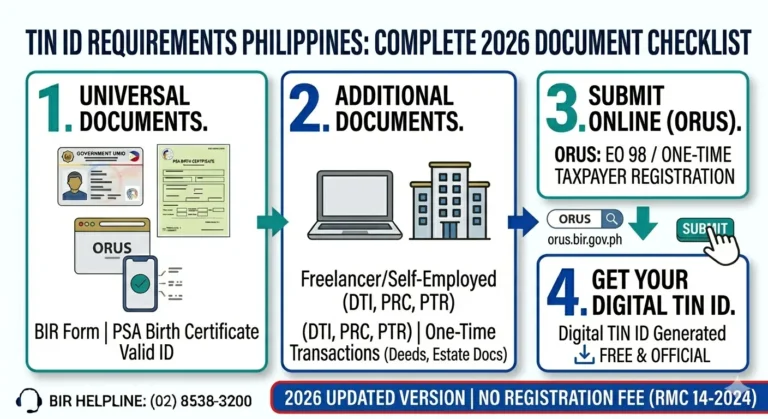
Prepare these documents before your visit or online application. Requirements differ based on your path.
EO 98 Registration
One-Time Transactions
How to Submit Your Application
Choose the method that works best for you. We recommend ORUS Online for faster processing.
ORUS Online
RDO Walk-In
Best for property/estate tax transactions
Walk-in is recommended for ONETT transactions that require document verification at the RDO.
Fees & Processing Times
Form 1904 registration is completely free. No hidden fees—beware of fixers who charge for this service.
Registration Fee
PHP 0.00
Free per RMC 14-2024
Walk-In Processes
Instant
Same-day TIN issuance
Online (ORUS)
< 24 Hours
Average turnaround time
Form Version
Jan 2024
Latest accepted revision
Don’t Make These Mistakes
Common errors that delay or invalidate your application
FAQs
Conclusion
BIR Form 1904 is the simplest and fastest way for students, unemployed individuals, OFWs, and one-time transaction taxpayers to get a TIN in the Philippines. Whether you need a TIN to open a bank account, process a government ID, sell a property, or settle an estate, Form 1904 covers all of these situations with a straightforward application process that is completely free.
The online route through ORUS at orus.bir.gov.ph is the most convenient option in 2026. You can complete the entire application from your phone or computer, upload your valid ID, and receive your TIN via email within the same business day. If you prefer to go in person, your assigned RDO can process your Form 1904 in as little as 15 minutes.