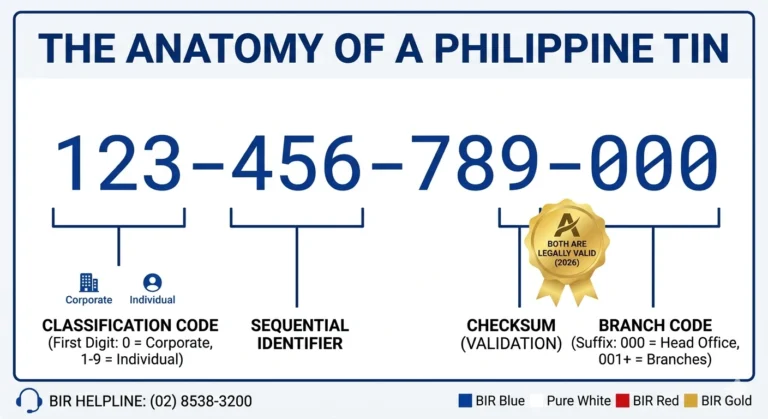
Lost or Forgot TIN Number
Losing track or forgot TIN number is more common than you think. Whether you never wrote it down after your first BIR registration, lost your TIN card, or simply have not needed it in years, forgetting your TIN does not mean you have to apply for a new one. Your TIN is permanent and it is still in the BIR database. You just need to retrieve it through the right channel.
Your TIN is permanent and never expires. Retrieval is completely free through official BIR channels. No need to start over — we’ll show you the fastest way to get it back.
WARNING: Do Not Apply for a Second TIN
Under Section 275 of the National Internal Revenue Code, possessing multiple TINs is punishable by a fine of up to PHP 50,000 and/or imprisonment. Always recover your existing TIN instead.
How to Find My TIN Number Online in the Philippines
Choose the method that works best for your situation. All three are free and officially supported by the BIR.
Email Inquiry
Fastest Response
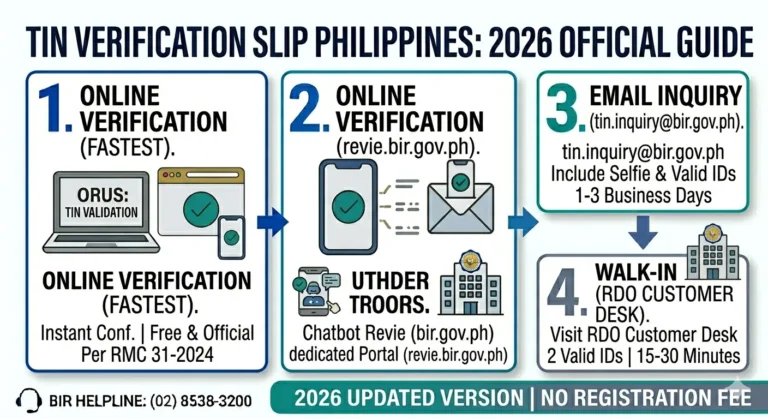
Send an email to the BIR’s official TIN inquiry address with your ID and selfie. Expect a response within 1–3 business days.
Chatbot Revie
Instant Online Access
Use the BIR’s AI chatbot on their official website. Available 24/7 for basic TIN verification queries.
BIR Mobile App
Best for On-the-Go
Download the official BIR app from Google Play or the App Store. Access your TIN and other tax records on mobile.
BIR Email TIN Inquiry via RMC 37-2024
Under Revenue Memorandum Circular No. 37-2024, the BIR introduced a streamlined online process for individual taxpayers to retrieve their TIN via email without visiting an RDO.
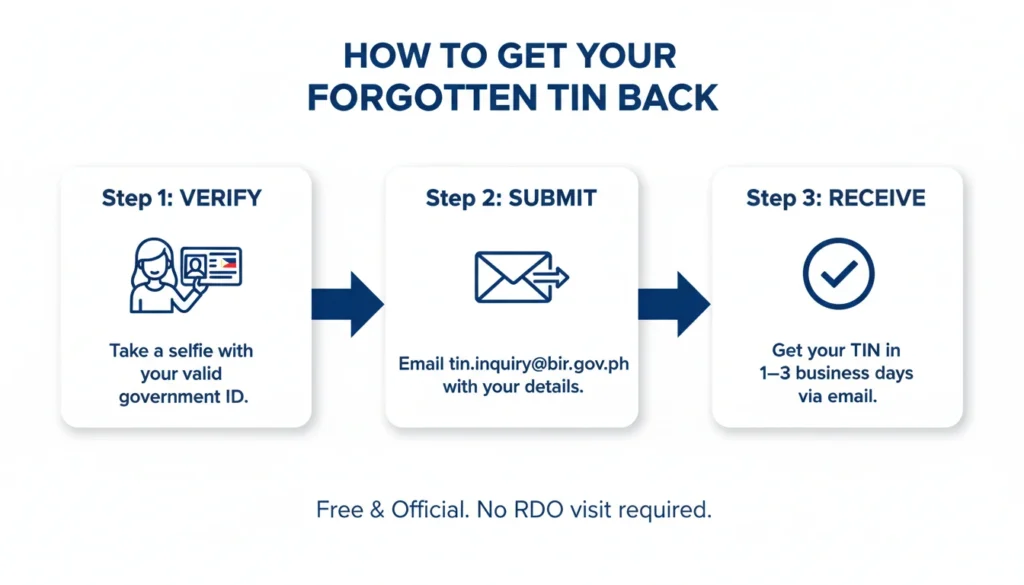
Email address: tin.inquiry@bir.gov.ph
What to prepare and send:
How to submit: Attach all documents and photos to one email addressed to tin.inquiry@bir.gov.ph. Use the subject line: TIN Inquiry Request. Write your full name and date of birth in the body of the email.
Chatbot Revie TIN Inquiry
BIR Chatbot Revie is the BIR’s official digital assistant available at bir.gov.ph. It handles TIN Inquiry directly from the BIR website through a conversational interface.
Steps to retrieve your TIN through Revie:
Revie is available 24 hours a day, 7 days a week. Responses are typically received within 1 to 3 business days. This method is ideal if the email process feels less intuitive.
ORUS Account
If you previously created an ORUS account at orus.bir.gov.ph, your TIN is visible on your taxpayer dashboard once you log in.
Steps:
If you forgot your ORUS password, click Forgot Password on the login page. ORUS sends a password reset link to your registered email. Once you reset your password and log in, your TIN is immediately visible.
BIR Mobile TIN Verifier App
The BIR Mobile TIN Verifier App is a free official application available on both Android (Google Play Store) and iOS (Apple App Store).
Steps to retrieve your TIN through the app:
The app is available 24/7 and works entirely on your phone. It is particularly useful for employees and first-time taxpayers who prefer a mobile-first experience over email.
BIR Hotline
If you need your TIN urgently and cannot wait for an email response, call the BIR Contact Center directly.
BIR Contact Numbers:
What to prepare when calling:
The BIR representative will verify your identity through these details before verbally confirming your TIN. BIR hotlines operate Monday to Friday, 8:00 AM to 5:00 PM (PHT).
Walk-In Verification at Your RDO
If all online and phone options fail, a personal visit to your assigned Revenue District Office is the most direct resolution.
Steps for walk-in TIN retrieval:
Important note: Under RMC 31-2024, RDOs are no longer authorized to issue manual TIN Verification Slips for employment purposes. If a company’s HR department asks for a TIN Verification Slip, direct them to use the ORUS TIN Verification Tool instead.
Check Your Existing Documents
Before contacting the BIR, check these documents first. Your TIN appears on many papers you may already have at home.
This is the fastest method if the document is still accessible.
Overseas Filipino (OFW) Support
You don’t need to fly home or visit an RDO. OFWs can recover their TIN entirely online using these two methods.
Email Inquiry
Best method — no time zone issues. Send your request anytime and get a reply within 1–3 business days.
BIR Chatbot Revie
Access the chatbot from anywhere in the world. Available 24/7 on the BIR website.
No RDO visit required. Everything is processed remotely by the BIR’s Central Office.
Physical TIN Card Replacement
Need a physical replacement card? This requires an in-person visit to your Revenue District Office (RDO).
Requirement | Details |
|---|---|
BIR Form 1905 | Application for Registration Information Update |
Affidavit of Loss | Notarized statement declaring your TIN card lost or damaged |
Documentary Stamp Tax (DST) | PHP 30.00 — payable at an authorized agent bank |
Valid Government ID | Original and photocopy for identity verification |
Process: Walk-in at your registered RDO. Processing typically takes 1–3 working days. Consider using the Digital TIN ID via ORUS as a faster alternative.
Security First: Data Privacy Note
The BIR requires a selfie with your ID under Republic Act No. 10173 (Data Privacy Act of 2012). This ensures that only the rightful owner can access their TIN — protecting you from identity theft and fraudulent tax filings.
Your data is protected
BIR is required by law to handle your personal information securely and only for its intended purpose.
Verification, not surveillance
The selfie requirement exists solely to confirm your identity — it is not stored beyond the verification process.
FAQs
Conclusion
Forgetting or losing your TIN number in the Philippines is a fixable problem with multiple official solutions available entirely online. The fastest method in 2026 is the email TIN inquiry at tin.inquiry@bir.gov.ph under RMC 37-2024, which requires only a completed inquiry form, a selfie with your valid ID, and an active email address.
The single most important rule to remember is to never apply for a new TIN. Your existing TIN is permanent and already in the BIR database. Retrieving it is always the correct action, and all official retrieval methods are completely free. Once you have your TIN back, create an ORUS account and download your Digital TIN ID so you always have instant access to it no matter where you are.