TIN Validation in 2026: Verify Your TIN Online
TIN Validation is the process of confirming that your Tax Identification Number (TIN) is active, correctly registered, and matches your personal records with the Bureau of Internal Revenue (BIR).
Whether you are applying for a job, registering a business, or processing government transactions, a validated TIN protects you from errors and delays.
What is TIN Validation?
TIN Validation is the official process of confirming that a Tax Identification Number exists in BIR records, is active, and belongs to the correct taxpayer.
Employees, job applicants, freelancers, business owners, self-employed individuals, foreign nationals, and anyone required to transact with the BIR need tin validation.
Official Verification Methods
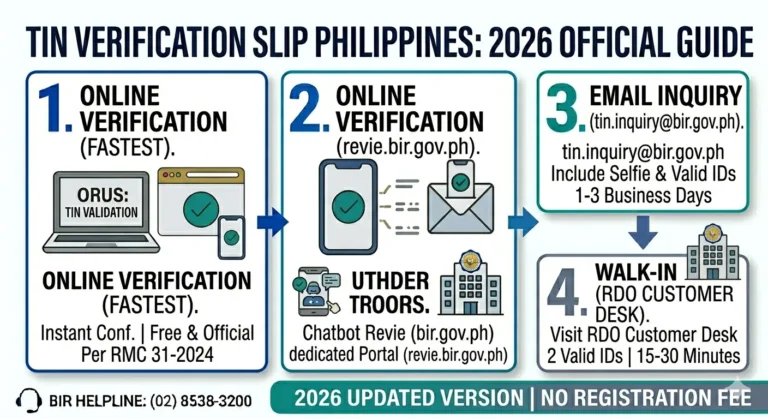
BIR TIN Validation Page, ORUS (Online Registration and Update System), BIR Chatbot, Email Inquiry, Revenue District Office (RDO), and Mobile TIN Verifier.
Common Validation Errors
Incorrect name spelling, wrong birthdate, name change after marriage, inactive TIN, duplicate records, and data encoding errors during original registration.
Why TIN Validation Matters
A validated TIN prevents delays and document rejections across many important transactions. Here are the five key areas where it makes a difference.
Employment
Employers are required by law to withhold income tax. Before your first payroll, HR will require a valid and verified TIN. Validation prevents payroll issues from day one.
Business Registration
When registering a sole proprietorship, partnership, or corporation with the BIR, your TIN must be active and correct. Mismatched information can delay your Certificate of Registration.
Loan Applications
Banks, lending institutions, and government financial agencies like SSS, Pag-IBIG, and GSIS use your TIN for identity verification. An invalid TIN can stall or reject your loan application
Government Transactions
Passport applications, PhilHealth, SSS, and Pag-IBIG enrollments may require a verified TIN. Having a validated TIN speeds up processing and avoids document rejections.
Tax Compliance
Filing income tax returns, paying percentage tax, or claiming tax treaty benefits all require an active and correctly recorded TIN. Validation ensures your compliance records are clean.
Official Ways to Validate a TIN
The BIR provides several official channels for TIN verification. Always use official methods to protect your personal information.
Method | Description | Best For |
|---|---|---|
BIR TIN Validation Page | Official BIR web page for entering your TIN and personal details to confirm registration status. | Employees, job applicants |
ORUS (Online Registration and Update System) | BIR’s online portal for registered taxpayers to manage and verify their taxpayer profile and TIN. | Self-employed, business owners |
BIR Chatbot | Automated messaging assistant on the BIR website and Facebook page for quick TIN-related inquiries. | Quick inquiries, first-time users |
Email Inquiry | Send a formal inquiry to your Revenue District Office email with your full name, TIN, and birthdate. | Complex or sensitive issues |
Revenue District Office (RDO) | Walk-in visit to your assigned RDO where a BIR officer can manually look up and verify your TIN. | Name changes, inactive TINs, serious errors |
Mobile TIN Verifier | BIR’s official mobile app that allows taxpayers to verify TIN information directly on their smartphone. | Mobile-first users, quick checks |
Always use official BIR channels. Third-party TIN lookup services are not authorised and may compromise your personal data.
How to Validate Your TIN Online
Follow these seven steps to validate your TIN using the official BIR online service.
Visit the Official BIR Validation Page
Open your browser and go to the official BIR website at bir.gov.ph. Navigate to the TIN Validation or eServices section. Never use third-party websites that claim to offer TIN validation.
Enter Your TIN
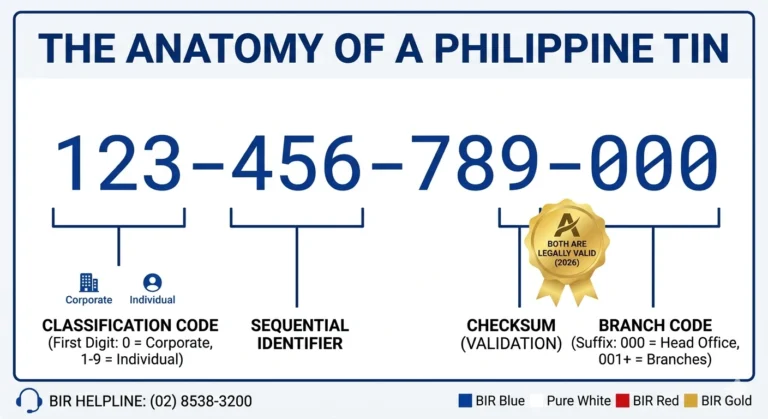
Type your 9-digit TIN in the provided field. Do not include hyphens or spaces. For example, enter 123456789 instead of 123-456-789.
Enter Your Personal Information
Fill in your first name, middle name, last name, and birthdate exactly as registered with the BIR. Even a minor spelling difference can cause validation to fail.
Submit the Form
Click the Submit or Validate button. The system will match your details against the BIR database. This process is usually completed within a few seconds.
Review the Results
The page will display whether your TIN is valid, active, or has an issue. A successful result confirms that your TIN matches your registered information in BIR records.
Save Your Confirmation
Take a screenshot or print the validation result. Some employers and agencies may require proof of TIN validation as part of your onboarding documents.
Contact BIR if Validation Fails
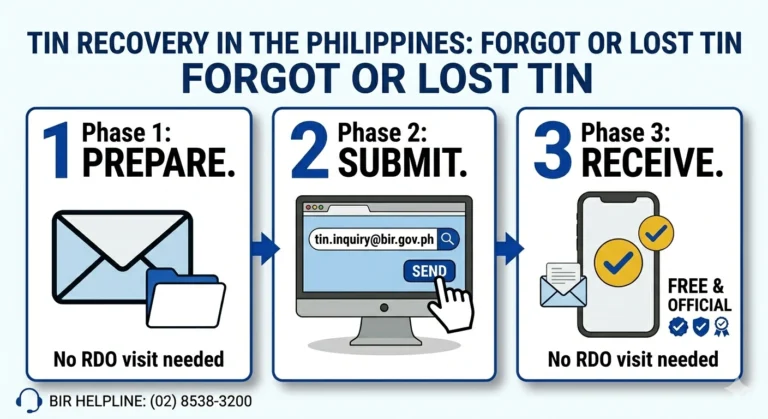
If your TIN cannot be validated, do not create a new TIN. Instead, contact your RDO or the BIR helpdesk to resolve the discrepancy in your records.
Required Information for TIN Validation
Prepare the following details before starting the validation process. All information must match exactly what was submitted during your original TIN registration.
TIN Number
9 digits, no hyphens (e.g., 123456789)
First Name
As registered with the BIR
Middle Name
Enter your full middle name; use N/A if none
Last Name
Use your name at the time of TIN registration
Birthdate
MM/DD/YYYY format as recorded in your BIR records
Sex
Male or Female as registered with the BIR
Always enter your TIN without hyphens. Enter 123456789 — not 123-456-789. TINs are 9 digits for individual taxpayers and may have a branch code for businesses.
Why TIN Validation Can Fail
Understanding why validation fails helps you fix the problem quickly and avoid making unnecessary visits to the BIR office.
Incorrect Name
The name you entered does not exactly match the name registered with the BIR. Even a missing middle initial or extra space can cause this error.
Wrong Birthdate
Your birthdate was entered incorrectly, or the BIR may have recorded a different date during your original registration. Check your COR or old BIR documents.
Married Name
If you got married after registering your TIN, your BIR record may still show your maiden name. Try using your maiden name for validation.
Inactive TIN
A TIN that has not been used or updated for a long time may be marked inactive. You will need to contact your RDO to reactivate it.
Duplicate Records
Some taxpayers were inadvertently assigned more than one TIN due to registration errors. This creates a mismatch in BIR records and must be resolved at the RDO.
Encoding Error
The BIR officer who processed your original registration may have made a data entry error. This requires an in-person correction at your Revenue District Office.
What To Do If Validation Fails
Follow this process if the BIR system cannot validate your TIN. Most issues can be resolved without a BIR office visit.
Never Create Another TIN if Validation Fails
Under Philippine law, each taxpayer is allowed only one TIN. Applying for a second TIN is a criminal offense punishable by fines and imprisonment under the National Internal Revenue Code. If your TIN cannot be validated, contact the BIR to resolve the issue — do not register again.
Check Your Information
Review the name, birthdate, and TIN you entered. Compare them with your original BIR documents such as your Certificate of Registration (COR) or TIN card.
Try Another Name Format
If you are married, try your maiden name. If you have a suffix (Jr., Sr., III), try with or without it. Names in BIR records may be formatted differently from your current legal name.
Use ORUS
Log in to the BIR’s ORUS portal using your registered email address. ORUS may show your registered profile information and help you identify the discrepancy.
Contact BIR
Call the BIR Contact Center at 8538-3200 or send an email inquiry to [email protected]. Provide your full name, TIN, and birthdate so they can investigate your record.
Visit Your RDO
Visit your assigned Revenue District Office in person. Bring a valid government-issued ID. BIR officers can look up your record, correct encoding errors, and reactivate inactive TINs.
Bring Valid IDs
Bring at least one government-issued ID such as a passport, driver’s license, PhilSys card, or SSS card. You may also bring your original BIR registration documents.
TIN Validation for Different Taxpayers
TIN Validation is important for all types of Philippine taxpayers. Here is why it matters for each group.
Employees
Freelancers
Business Owners
Self-Employed Professionals
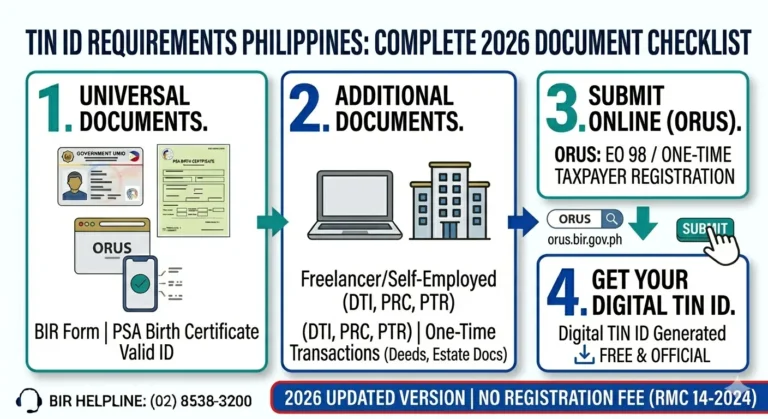
Digital TIN ID Through eGovPH
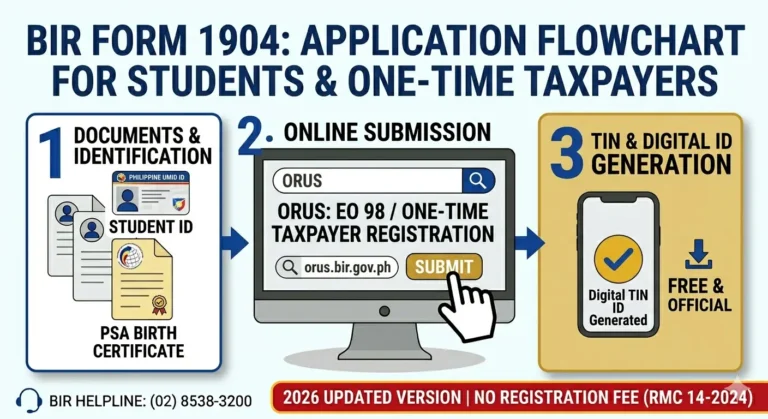
Beginning April 24, 2026, the BIR Digital TIN ID became available through the DICT eGovPH Mobile App. Individual taxpayers can view their Digital TIN ID through the eGovPH App’s Mobile ID Wallet.
The BIR recognizes both the Digital TIN ID generated through ORUS and the Digital TIN ID accessed through the eGovPH App, subject to the applicable authentication and verification procedures. An eGovPH-generated Digital TIN ID is presented and verified within the eGovPH App while the application is active.
FAQs
Tips for TIN Validation
Final Thoughts
TIN validation is a simple but important step in making sure your tax identity is correct and compliant. With the BIR’s online validation tools, you can often verify your TIN quickly without visiting a district office.
If the system cannot validate your record, the safest move is to correct the details through official BIR channels rather than create a new number. That keeps your tax records clean and helps you avoid delays in work, loans, and government transactions.